
Quick answer
When a seal fails, a few safe checks rule out the easy causes: note the machine model and error code, check the rim is clean and undeformed, confirm container and film are compatible, and check the film loading.
Before the machine, voltage, sealing film and container are confirmed, internal disassembly and setting adjustments should be handled by service personnel. If the issue remains, the Phoenixes service team can help confirm the next step.
In this guide
Safe first checks, before you call for service
When sealing begins to fail, start with a few simple checks. Some checks involve internal settings or opening the machine, so they are best handled by service personnel and are outside the safe checks covered in this guide.
This guide helps you rule out common causes, prepare complete information, and understand when it is appropriate to stop checking and contact Phoenixes service.
Before starting any checks.
General operators do not need to dismantle the machine. Pressure, temperature and internal component adjustments should be evaluated by service personnel. If a check requires opening a cover or panel, switch off and unplug the machine first, then contact Phoenixes service for assistance.
The safe checks
Follow these steps in order. They do not require tools or opening the machine, and can generally be completed by an operator.
Please remember these details.
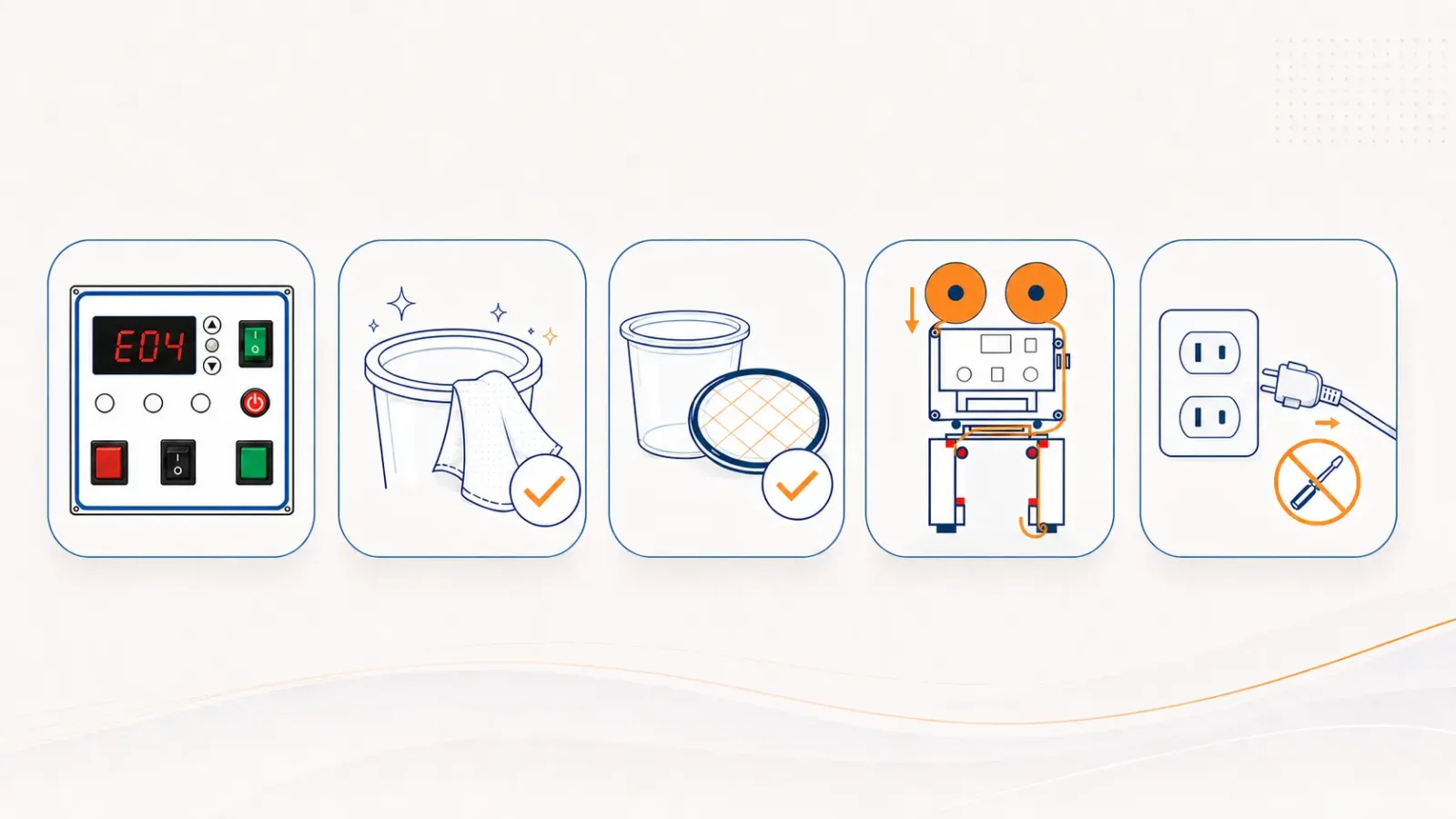
Note the machine model and error code, and describe the fault condition. If you contact service, this information can help shorten the confirmation time.
Check the rim.
Confirm that the container rim is clean and not deformed. A dirty, wet or dented rim may prevent proper sealing.
Confirm container and film compatibility.
Check the container and film are a compatible pairing. See the compatibility table.
Check the film installation.
Confirm that the upper sealing film is installed correctly and follows the intended path for your model.
If you need to look further, power down safely.
General operators do not need to open covers or panels. If this is necessary, switch off and unplug the machine first, then contact Phoenixes service for assistance. Internal disassembly should be handled by qualified personnel.
Three common error codes
If your machine shows a code, here is what these three commonly mean and the safe action for each.
| Code | What to do |
|---|---|
| E04 | Check the film path, clean the right-side sensor, and check the film take-up spool. |
| E07 | Check the safety door. If the machine is equipped with an emergency stop button, confirm that it has been reset. |
| Err | Stop using the machine and confirm that the machine voltage matches the outlet voltage. |
If the issue remains after these safe checks, contact the Phoenixes service team. When Err appears, pause operation and confirm the voltage before proceeding further.
Share the fault details with us
Provide the Phoenixes machine model, error code and fault condition. Our team can help confirm the appropriate next step.
WhatsApp Phoenixes serviceWhen to stop and contact service
Contact Phoenixes if any of the following is true:
- The machine shows Err and the voltage question is not clearly resolved.
- The fault remains after the safe checks above.
- A check seems to require opening the machine or adjusting an internal part.
If a check involves internal components, it generally requires professional tools and experience. Having trained service personnel handle it is the more appropriate approach. With a clear description and supporting photos, the Phoenixes service team can help determine the next step.
Is the fault still present after the safe checks?
Provide the Phoenixes machine error code and fault condition. The team will tell you what to do next.
Contact Phoenixes